

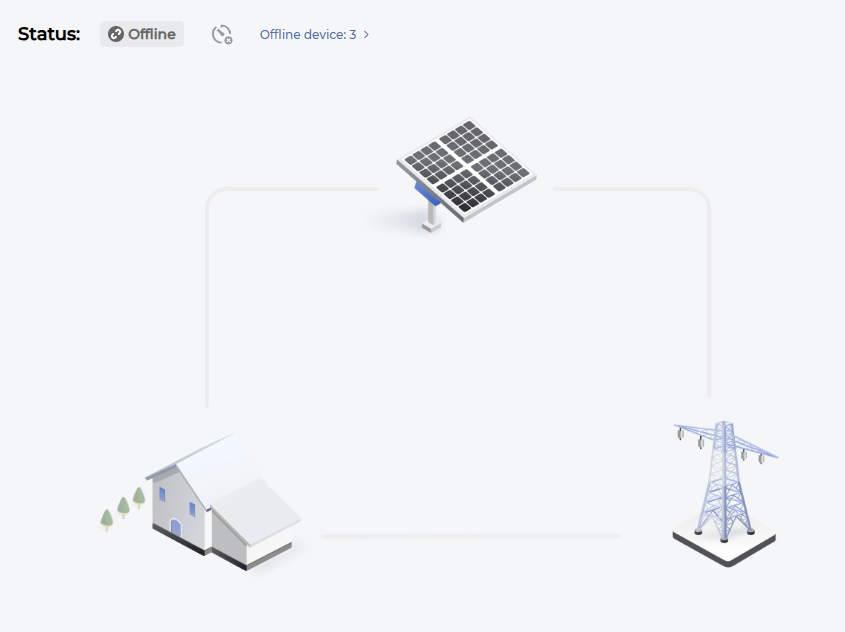
If your system shows offline on iSolarCloud (pictured to the right), this guide will help you get it back up and running. Very often we find the cause to be changes to the network such as changing the Wi-Fi password, getting a new router, or changing the settings on the router.
If you need help with any of the steps, please don’t hesitate to reach out to us for help. Our contact information can be found at the bottom of the page.
Step 1: Check Inverter has power
The first thing to check is that the inverter has power. Check the LED display on the inverter itself has any signs of life. If there is no display, check that no breakers have tripped in the switchboard. If a breaker has tripped, follow the shutdown procedure on the inverter before turning the breakers on and following the startup procedure.
Step 2: Check your router
A lot of the time, if you haven’t changed anything with the network, a simple restart of the router can fix the connectivity issues. Switch off your router and the NBN modem at the wall, wait 10 seconds, then switch everything back on. Give the router about 5 minutes to boot up and check iSolarCloud again. It’s all connected if you can see the system producing power.
If you have recently changed your router, or any of the settings in it (including changing the name or password), you will need to follow the connection instructions below.
Step 3: Reconnect using the iSolarCloud App
If you have checked the above two steps with no luck, follow the steps in the video below to reconnect your network to the inverter. Please note a few things before attempting this:
- The network must be on a 2.4GHz band, you will not be able to connect to a 5GHz network. This is usually indicated by a 2.4G or 5G appended to the Wi-Fi name. If you only have one network available, you may need to split the bands into a 2.4GHz and 5GHz band. Each brand has different steps to do this so refer to your routers user manual for instructions on how to do this.
- Ensure the inverters dongle is fully inserted into the bottom of the inverter with both clips in the designated slits on the dongle. This should sit completely flush with the inverter.
- Check the signal strength of the Wi-Fi as if there is a poor signal, the inverter may cut out unexpectedley. Reach out to us on 1300 GARDEL if this is the case and we can assist you to install this.
If you are still having issues after following these steps, reach out to Gardel Electrical & Solar on 1300 GARDEL (1300 427 335) or email us at service@gardelelectrical.com.au for assistance.
CONTACT US
Interested in a career at Gardel Electrical & Solar? Contact our team
Complete the form and our team will contact you within 12 business hours (Monday-Friday, 7AM – 4PM AEST).
Unit 1 / 22 Varley Street
Yeerongpilly, QLD 4105

